

As Nikola Tesla said, “we all make mistakes, and it is better to make them before we begin”. We need to check everything and anything we produce because things can always go wrong. Suffice it to say that testing is a crucial part of the software development lifecycle. It is the phase to validate that the software or the product meets the business and technical requirements and that all errors and defects are discovered and fixed prior to going into production.
1. Why do we need Test Management and QA?
Test Management and Quality Assurance ensure that the software delivered is of the highest quality. It should start early as possible in order to avoid costly and last-minute bug fixes. A bug, especially if found in production, impacts not just the team, but the entire organisation. It can also have severe financial ramifications, especially when end-users/customers lose confidence in the product and the brand is damaged.
2.What is Jira?
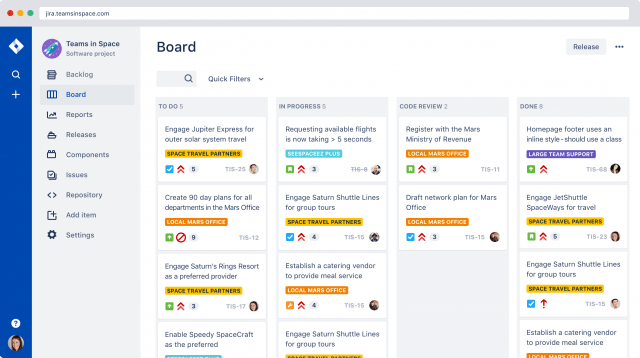
Jira is a product developed by Atlassian and is considered the #1 project management tool used by agile teams. It allows teams to plan, track and manage a project, capture and organise issues, assign work and monitor team activities.
3.Why Jira for Test Management?
For QA teams, Jira offers solid features in terms of bug tracking and requirements management. More importantly, it provides a great team collaboration environment to keep everyone up-to-date.
Jira allows your team to:
- Collaborate and share, giving full visibility
- Track tasks and changes
- Relate issues by linking them
- Create custom issue types, manageable within versions
Jira can also be easily extended using apps (i.e., add-ons) to cover Test Management.
4.How do you choose a Test Management app for Jira? To ensure a successful application release using Jira, a great test management app is essential. Here are 9 features to look out for:
Complete Test Management: The app should give you the ability to manage tests, requirements and defects consistently, independently of the process you are following, the type of tests that you’re using and the SUT.
Flexibility: It should not just be configurable, but also flexible, so you can fit it to your team needs and leverage the best of them.
Focus on Productivity: It should provide immediate and in-context information, thus increasing the focus of teams so they can add value to what they do best.
Reporting and Metrics: It has insightful reports and relevant metrics that allow you to make decisions based on facts and figures, not on assumptions.
Integration: Software moves fast. The tool should provide open APIs and a bunch of integrations out-of-the-box, so your team can use the automated testing frameworks or CI tools that work best for them.
Enterprise-Level Features: Make sure what you record is not changed. This is important not just for compliance reasons, but it enables you to trust the test results that you get
Collaboration: A QA tool should not be isolated from the remaining development ecosystem; it should integrate closely with it and foster collaboration among all team members.
Excellent integration with Jira: The tool is not a Frankenstein within Jira. It should reuse and leverage Jira concepts to the maximum, to make its usage straightforward and to benefit from what Jira and the Jira marketplace ecosystem provide.
Support: Look for vendors dedicated to their products who will guarantee long-term satisfaction. Read reviews mentioning problems, training, support services and general credibility.
5.Meet Xray for Jira
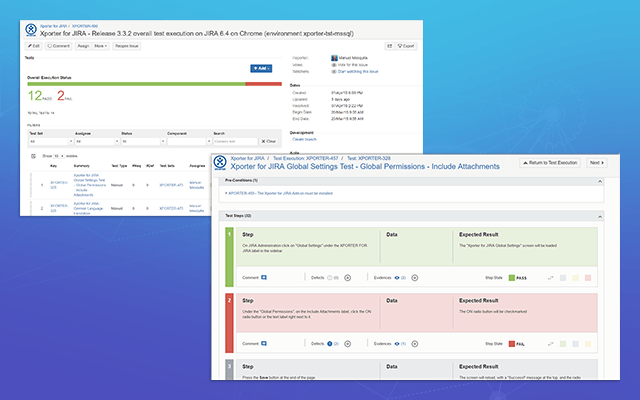
Xray is a complete Test Management tool for managing both manual and automated tests and is seamlessly integrated with Jira. It is a full-featured app that does not require any other software in order to run. It supports the entire testing life cycle: from planning, specification, organisation (flat or hierarchical), to execution and reporting. It does this by using special Jira issue types, so you can maximise all the Jira benefits that you are used to. Xray also supports automated tests that can be run with Cucumber and has integration with other test automation frameworks like JUnit, NUnit or Robot.

It pays to repeat what we said at the beginning: software testing is a critical phase in the software development lifecycle. Thousands of organizations around the world can attest that Jira is one of the best tools for their QA and Testing teams. And Xray for Jira makes it even better for Test Management. Discover the future of testing with Jira!
http://www.softwaretestingnews.co.uk/how-to-test-with-jira/